
When I launched my first blog in 2019, I recognised the importance of email marketing. I was on a budget and had no idea there were free email marketing services for beginners.
This led to overwhelm from having to try numerous email marketing tools. With zero experience and a tight budget, I spent weeks testing different services.
I made costly mistakes. And I learned the hard way that not all free email marketing tools are suitable for beginners.
That’s exactly why I’ve created this comprehensive guide. I want to save you the headache and help you choose the right platform from day one.
I’ve personally used and tested each of these 5 services extensively. And I’ll give you the truth about their strengths, weaknesses, and which type of beginner they’re best suited for.
By the end of this guide, you’ll know exactly which free email marketing service matches your specific goals. You’ll also understand the key features to focus on as a new user.
Let’s look at the 5 best options that will help you grow your audience without breaking the bank.
What Are Email Marketing Services?
Email marketing services are platforms or tools that help individuals and businesses create, send, and manage email campaigns.
They help you stay in touch with your audience and promote your products and services. They also help you nurture leads, boost engagement and drive conversions.
These services provide features like email design, automation, list management and analytics to track performance.
So, whether you are welcoming new subscribers, promoting a product, or sending newsletters, these platforms make it easy. You can do it all without manual work.
My Selection Criteria: How I Chose These 5 Platforms
I evaluated each email service based on five critical factors that matter most to beginners:
Ease of Use: This tops the list for me. A great tool should be easy enough for someone with no tech experience to figure out without hassle.
No of Subscribers: I checked the subscriber limit to avoid choosing the ones that would limit you too soon.
Audience Growth Features: I examined the platforms with tools and features that help beginners grow their lists faster.
Affordability/Scalability: I evaluated the platforms to see which ones provide opportunities for growth without needing expensive upgrades as your subscriber list increases
That said, let’s look at each tool in detail.
5 Best Free Email Marketing Services For Beginners
Here are my top picks for the best free email marketing services for beginners:
- Mailerlite — Best for complete beginners
- Kit (formerly ConvertKit — Best for creators and bloggers
- Sender — Best for e-commerce
- Email Octopus — Best for budget-conscious users
- Brevo (formerly SendinBlue) — Best for high-volume senders
P.S. This post includes a few affiliate links. If you decide to try any of these tools, I may earn a small commission at no extra cost to you. I want you to know I only recommend tools I’ve used (or still use) myself and truly believe in.
Quick Comparison Summary
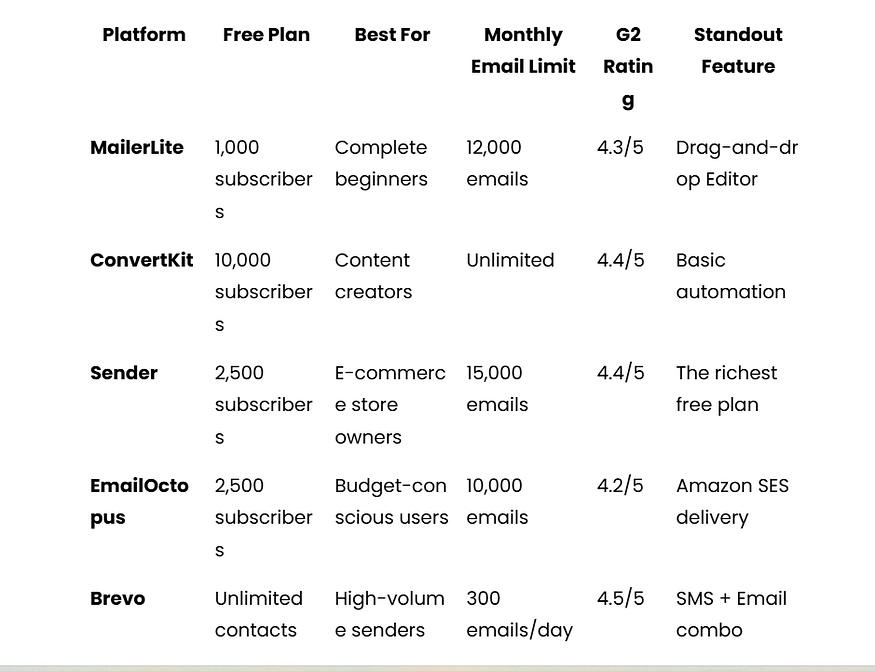
1. MailerLite — Best overall for complete beginners
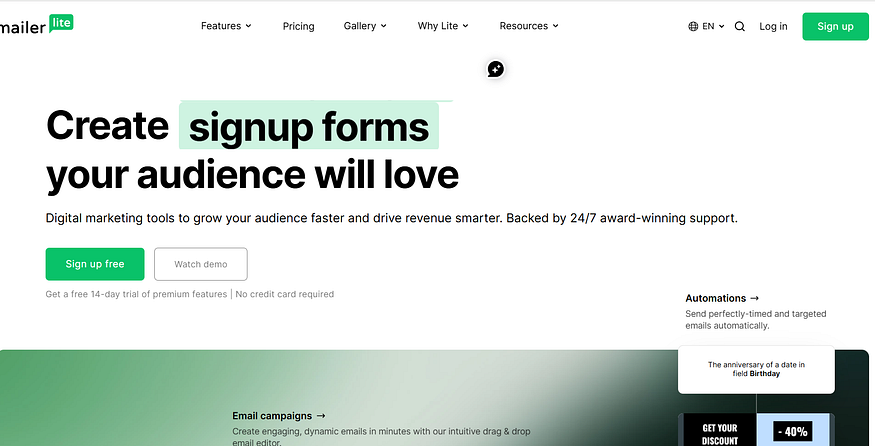
Best for: First-time beginners who want great features and an easy-to-use tool without complexity
Free Plan: For up to 500 subscribers.
Key features: Intuitive drag-and-drop editor, access to automation and sequences, 50+ modern templates, excellent deliverability
My journey with MailerLite began in 2020 when I set up my first WordPress blog and needed to build my email list. At the time, email courses were the rage, so I decided to follow suit.

I tried MailChimp first, but couldn’t set up an email course because it didn’t offer automation features on its free plan. So I moved to Mailerlite.
What started as a necessity quickly became a long-term partnership that has shaped how I approach email marketing.
The moment you log into MailerLite, the difference is obvious. The interface is clean, intuitive, and designed for people who’ve never sent an email campaign before.
The dashboard was easy to use. It didn’t take me long to set up my first email campaign. I also created an email course to grow my email list.
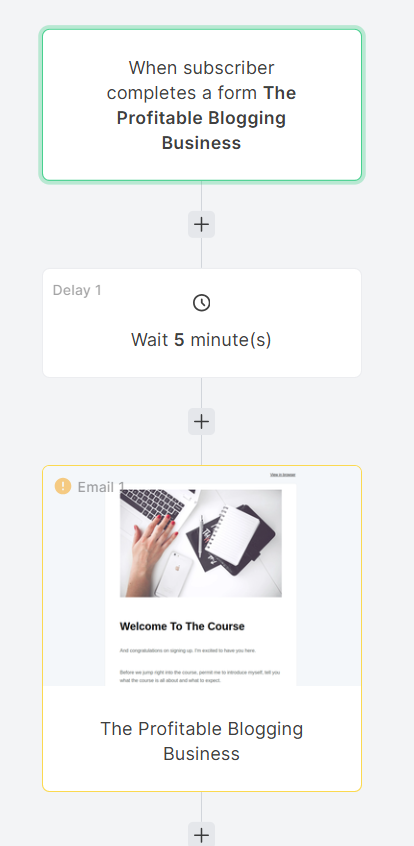
I also fell in love with all the features available in the free plan. After all, I was new to blogging and didn’t have the budget to upgrade.
I have used it for more than three years. This includes my use and for my clients. I understand why it is called the most user-friendly and affordable email marketing service.
Unlike some other email marketing platforms, MailerLite lets you use all the features you need. You can start email marketing and grow your subscriber base without upgrading.
Here’s a breakdown of key features MailerLite offers in its free plan:
- Built-in drag-and-drop editor for easy landing page creation
- Advanced automation features and email sequences
- Support for up to 1,000 subscribers and 12,000 monthly emails
- Template library with 50+ modern, professional designs
- Integrations with 50+ popular tools, including Canva, Shopify, Zapier, Wix, Stripe, and WordPress
- Landing pages and signup forms
- Basic analytics and reporting
- 24/7 customer support
One thing I love about MailerLite is its deliverability. In my experience, MailerLite often achieves inbox placement rates over 98%. This is very important for beginners. They cannot afford to have their emails end up in spam folders. This reliability has been steady across all my campaigns and client accounts.
G2 reviews consistently praise MailerLite’s simplicity and effectiveness.
Sarah M., a Marketing Manager, rated it 5/5 stars, stating: “MailerLite is perfect for small businesses. The interface is clean, and the customer support is excellent.”
Meanwhile, Reddit user u/smallbizowner shared:
“Switched from Mailchimp to MailerLite and never looked back. Much easier to use and better value for growing businesses.”
The free plan truly includes everything beginners need to succeed with email marketing. Once you have more than 1,000 subscribers, paid plans start at only $10 a month. This makes it one of the cheapest options for scaling your email marketing efforts. Unlike many competitors, there are no hidden fees or surprise feature restrictions that catch you off guard later.
If you want a reliable and easy-to-use tool to grow your audience, MailerLite could be a great choice. Whether you are just starting or have some experience, it can help your business. MailerLite delivers the features and reliability you need to succeed.
2. Kit(formerly ConvertKit) — Best for content creators
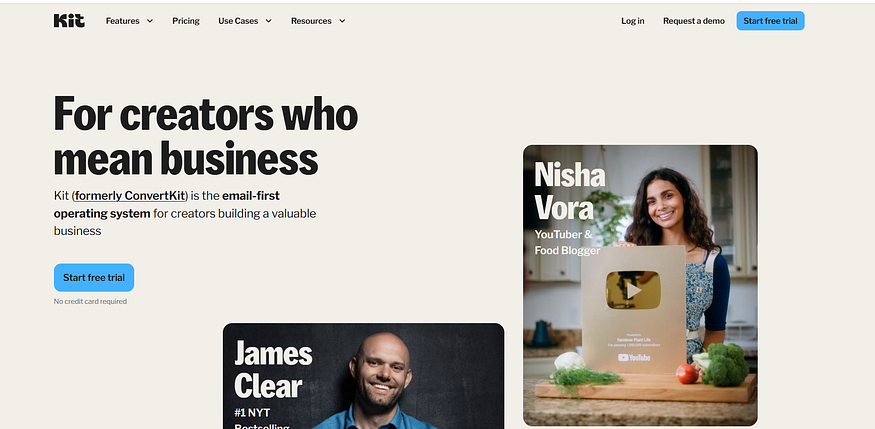
Best For: Best for content creators, bloggers and YouTubers.
Free Plan: Up to 10,000 subscribers
Key Features: Basic visual automation builder, one email sequence, subscriber segmentation and tagging system, third-party integrations, creator-focused network and smart recommendation
Kit was the third email marketing service I tried, and I have used it from 2021 to date.
Kit promotes itself as “the email marketing platform for creators.” I have used it for my brand, and I can say it keeps this promise. The free plan is known as the Newsletter plan. It’s suitable for beginners who want to grow their email list.
Kit’s free plan stands out because it allows a 10,000-subscriber list. Only a few competitors provide this in the industry.
One thing I love about Kit is how easy it is to use. Although it is not as easy to use as Mailerlite, you don’t need a full course to figure things out.
Here’s a quick breakdown of what you can do with the Kit free plan:
- You can create professional email campaigns from the newsletter templates.
- Collect and segment subscribers easily with built-in landing pages and signup forms without having a separate email list.
- Track key performance metrics like open rates, click-through rates, and unsubscribes.
- Automate your customer journeys with the Visual Automations tool.
- Grow your email list with the Creator Network/Recommendations feature.
The subscriber tagging system is great for segmentation. Instead of managing multiple lists, you can tag subscribers based on their interests and send targeted content accordingly.
Blogger and owner of Bloggerspassion, Anil Agarwal mentioned on Quora that Kit is worth considering. because it focuses on subscribers, not just the audience.
What does it mean?
It simply means that each subscriber on your list is treated as one contact. So you won’t be charged for duplicate subscribers, no matter how many times they subscribe.
And it also provides you with awesome features like tags and segments to easily manage your list.’
As a content writer and copywriter, I use Kit to build and monetise my email list. I also use it for some of my clients.
Like I always say, any free email service is useless without automation. My favourite feature of the Newsletter plan is the visual Automation. It makes it easy to set up an automated email sequence to nurture my subscribers.
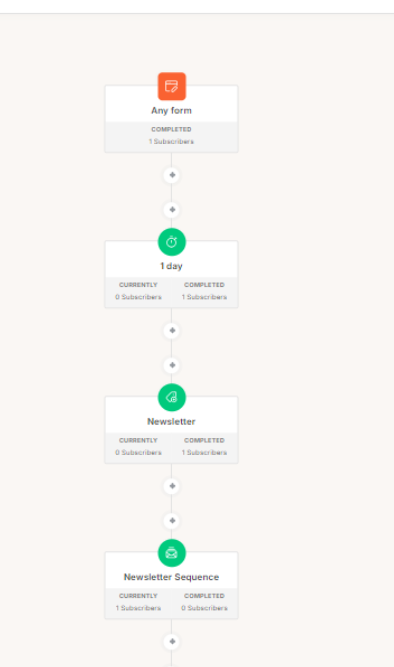
With Kit, you can create email campaigns. You can choose who gets them and when they go out. Kit also automates the rest, so you can focus on other important tasks.
Here’s an example of how I used automation in Kit:
There’s only one downside to Kit’s free(Newsletter) plan:
The email sequence and automation features are too basic to set up anything more than a welcome email sequence.
If you plan on creating email courses or other types of sequences and automation, this plan is not for you. You can also upgrade to the Creator or Creator Pro plan. This gives you unlimited Sequences and unlimited Visual Automations. You can try other email services.
Want a more in-depth guide? Check out my full Kit review.
3. EmailOctopus — Best Budget-Friendly Option
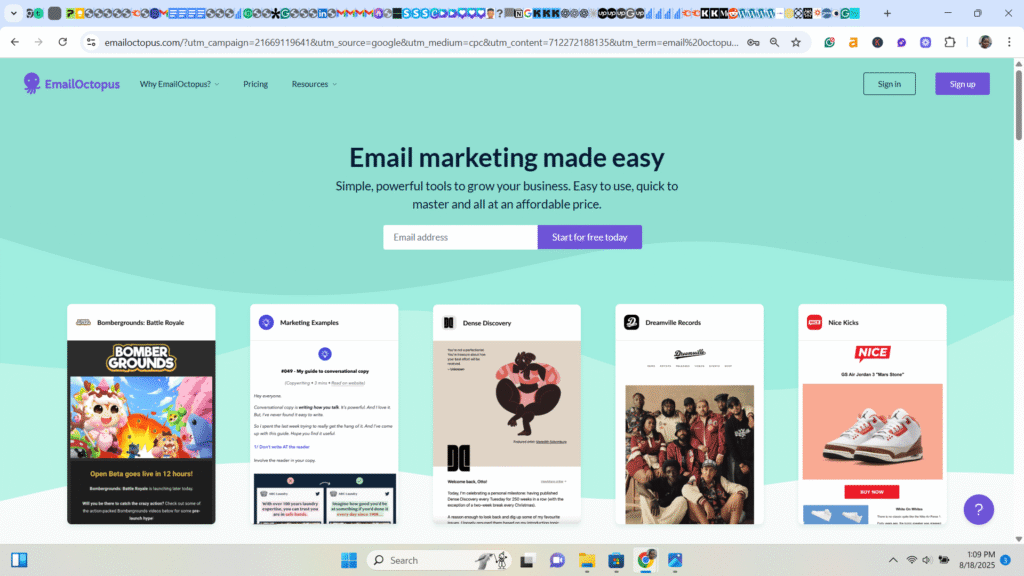
Best for: Beginners on a budget who prioritise reliable delivery over features
Free Plan: Up to 2500 subscribers
Key features: Amazon SES integration and a clean, minimalist interface
I recently started using EmailOctopus even though I’ve known about it for a while. I must confess that the platform is minimalist and easy to use.
The platform is built on Amazon’s infrastructure, which makes it excellent in terms of deliverability. Email Octopus is known for its affordable pricing. And it’s a great email service for those who are mainly interested in sending basic newsletters and autoresponders.
Although it may not have advanced features in its free plan, it provides everything a beginner needs to get started.
Here’s the breakdown of all you get on the free plan:
- Supports up to 2,500 subscribers
- You can send 10,000 emails per month.
- Integrates seamlessly with third-party software like Zapier, WordPress, Typeform, etc
- Basic automation features with customisation.
- You can also create an email sequence with this plan
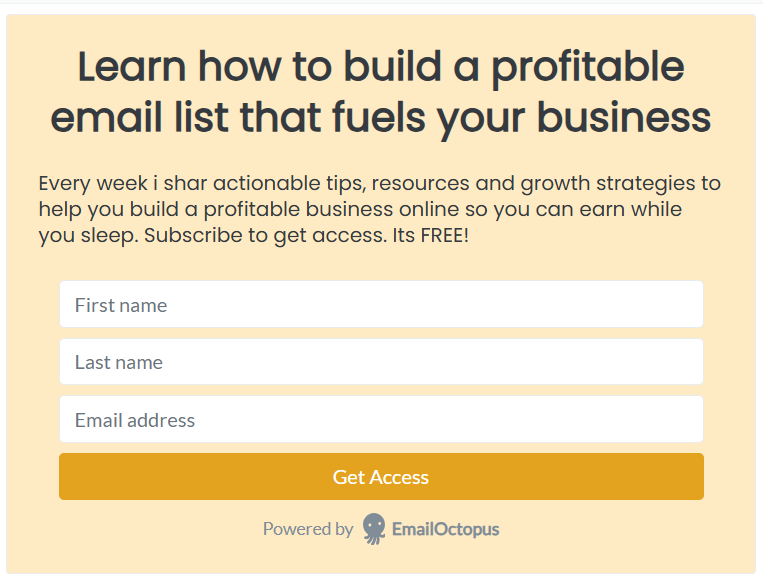
This is a form I created in Email Octopus using one of their templates
The only downside to Email Octopus’s free plan is that you can only create a welcome sequence. You cannot set up any other serious automation. And you can only view the reports for 30 days.
Just like Finleykjames on Reddit says, ‘I’ve tried EmailOctopus. I loved it; it was clean and easy to use. My only issue with it is unless you’re on a paid plan, you can only view the reports per newsletter for 30 days. (So, say I sent a newsletter out today, after 30 days, I won’t be able to see any of the reports for it.) Other than that, I don’t believe I had any other complaints.
This free plan is a good choice if you are new to email marketing. It works well if you have a small email list that you want to grow before upgrading.
But if you need access to premium features, you can consider upgrading to the pro version. Pricing starts from $9 per month for 500 subscribers.
4. Sender — Best for E-commerce Store Owners
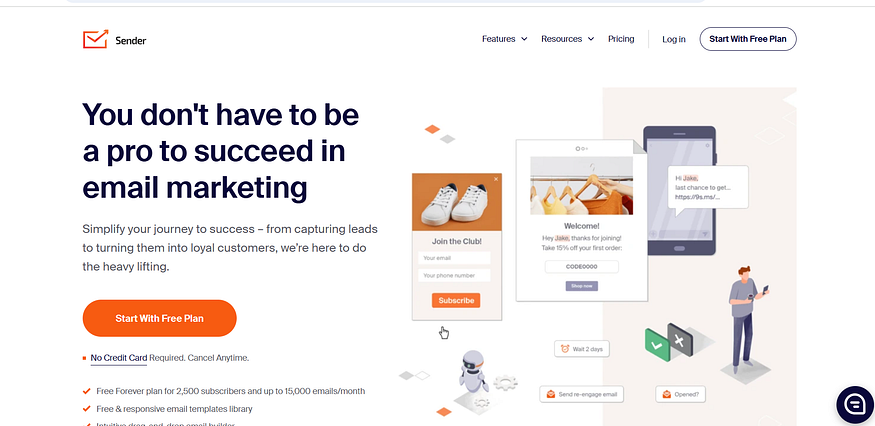
Best for: Beginners looking to do email marketing + ecommerce
Key features: 2,500 free subscribers, e-commerce integrations, and SMS marketing included.
Sender offers many free features for beginners who want to use email marketing for their e-commerce stores.
I tested the platform for e-commerce clients and was impressed by its pricing features.
Here’s what you get in Senders’ free plan:
- Supports up to 2,500 subscribers and 15,000 emails per month
- Built-in tools for abandoned cart recovery, product recommendations, and purchase follow-ups.
- You can personalise and segment without limit
- Access to all editors, including image, plain text, HTML, and drag-and-drop editors.
- You also get access to pre-built workflows or automation templates.
- An email editor with special blocks for e-commerce helps you show your product, offer discounts, and display social proof.
This saves you hours compared to building these elements from scratch in generic platforms.
To be honest, the Sender free plan is feature-rich. You get access to all paid features except SMS marketing, which isn’t a big deal when you’re starting.
G2 reviewer David K., a store owner, rated Sender 4/5 stars: “Sender’s free tier is unbeatable. Perfect for small e-commerce stores just starting out.
To sign up for the free plan, you need a business email address with your domain. And if you ever need to upgrade, their pro version starts at $9.
5. Brevo (Formerly Sendinblue) — Best for High-Volume Senders
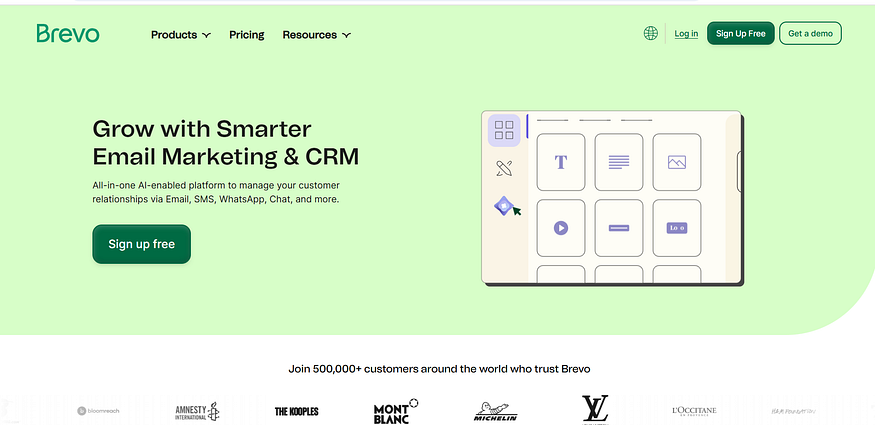
Best for: Businesses with large contact lists but moderate sending frequency
Key features: Unlimited contacts on the free plan. It also includes SMS integration and advanced automation. The plans cost based on how many emails you send each month.
Brevo (formerly Sendinblue) was founded in 2012 and rebranded as Brevo in 2023.
I was surprised by their free plan.
Brevo is unlike other competitors that restrict features on free plans. It allows you to send 300 emails a day to unlimited contacts.
You also get access to customizable templates and a drag-and-drop editor. This is enough to send basic campaigns and set up simple automations without spending a dime.
See all you get in Brevo’s free plan:
- You don’t get charged based on the number of subscribers. You can import up to 10,000 contacts and pay nothing as long as you stay under 300 emails per day.
- The SMS integration allows you to combine email with SMS. This can push your engagement rates to a whole new level..
- Advanced automation features to help you build complex workflows using both email and SMS
G2 reviewer Lisa M., a Marketing Director, gave Brevo 5/5 stars, stating that:
“Brevo’s combination of email and SMS marketing is perfect for our omnichannel approach.”
While Reddit user u/startupfounder shared:
“The unlimited contacts on the free plan saved our startup thousands in the first year.”
How to Choose the Right Email Service/Platform for Your Needs
Start with MailerLite if:
- You’re a complete beginner to email marketing
- You want quality results without complexity
- You need reliable customer support
- You plan to send regular newsletters or campaigns, create sequences, email courses and automations other than the basic welcome sequence
Choose ConvertKit if:
- You’re a content creator, blogger, or course creator
- You need advanced automation and segmentation
- You plan to create complex email sequences
- You plan to sell digital products or other forms of products
- You’re willing to invest money and time once the free version exceeds your regular time learning the platform
Pick Sender if:
- You run an e-commerce store
- You want the highest free subscriber limit
- You need a built-in SMS marketing
- You want e-commerce-specific features
Go with EmailOctopus if:
- Budget is your primary concern
- You prioritise deliverability over features
- You prefer simple, clean interfaces
- You send basic newsletters without complex automation
Select Brevo if:
- You want both email and SMS capabilities
- You need advanced automation features
Conclusion: Start Building Your List Today
The most important decision is not which platform to choose. It’s the decision to start building your email list today. With every day you delay, you’re losing money and relationships.
Choose any of these five platforms based on your needs and budget. Focus on creating valuable content, growing your subscriber base, and maintaining consistent communication with your audience. The platform can always be changed later, but the relationships you build through email marketing will fuel your business growth for years to come.
Frequently Asked Questions
1. Are free email marketing services free, or are there hidden costs?
Most free email marketing services are free forever up to certain limits (like the number of subscribers or emails sent per month).
But you’ll need to upgrade to paid plans as your list grows or if you want advanced features like advanced automation, A/B testing, or removing the service provider’s branding from your emails.
2. What are the typical limitations of free email marketing plans?
Common limitations include subscriber limits, monthly send limits, limited templates, and basic automation. It also includes provider branding in emails, limited customer support, and restricted integrations with other tools.
3. How do I choose between different free email marketing services?
Consider factors such as your subscriber limit needs, required features (automation, templates, analytics), ease of use, integration with your existing tools, deliverability rates, and upgrade path pricing.
Try the free trials or versions to see which interface feels most comfortable for your workflow.
4. Can I switch between email marketing services later if I am not satisfied?
Yes, most services allow you to export your subscriber lists and import them into other platforms. But you’ll need to recreate your email templates and automation sequences. It’s easier to switch early on, so testing different services when you’re starting is recommended.
5. Do free email marketing services have good deliverability rates?
Reputable free email marketing services generally maintain good deliverability rates since their business model depends on it. However, deliverability also depends on your email practices, list quality, and content. Some providers may prioritise deliverability for paid customers during high-volume periods.
6. What should I do when I outgrow my free email marketing plan?
When you hit subscriber or send limits, evaluate your needs and budget, then choose an appropriate paid plan. Consider factors such as advanced automation needs, improved analytics, enhanced customer support, and removal of provider branding. Many services offer smooth upgrade paths with pricing that scales with your list size.